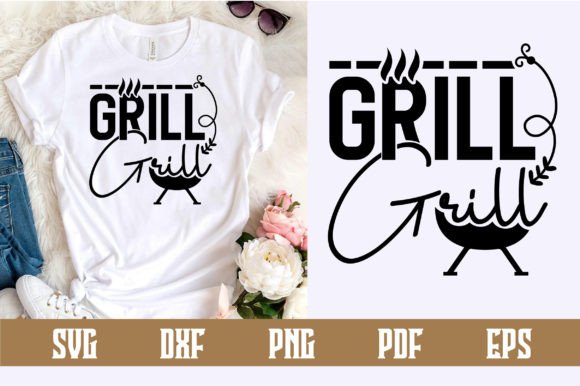
Grill Svg Design: Practical Tips for Better Crafting Results
There is a distinct satisfaction in creating custom apparel or decor for barbecue season, but the success of your project often hinges on the technical quality of the digital file you start with. A Grill Svg Design is more than just a thematic graphic; it is a functional set of vector paths intended for cutting machines, sublimation printers, or laser engravers. Whether you are making matching family reunion t-shirts, personalized aprons for a catering business, or etched wooden cutting boards, understanding the nuances of these files prevents wasted materials and frustration.
Many crafters and small business owners assume that any downloadable graphic labeled as an SVG will work seamlessly with their equipment. Unfortunately, this assumption leads to jagged cuts, weeding nightmares, and designs that fail after a single wash. The difference between a professional-looking finished product and an amateur attempt usually lies in evaluating the vector integrity before you ever hit the "cut" button. By shifting your focus from simply finding a pretty picture to assessing technical usability, you can elevate the quality of your grill-themed creations significantly.
Identifying True Vector Integrity Versus Raster Traces
The most frequent issue encountered with barbecue and outdoor cooking graphics is the presence of auto-traced images masquerading as true vectors. When browsing marketplaces or free resource sites, you might find a Grill Svg Design that looks acceptable in the thumbnail preview but produces disastrous results when loaded into cutting software like Cricut Design Space or Silhouette Studio.
Auto-tracing converts a pixel-based image (like a JPEG or PNG) into vector paths using an algorithm. While this works for simple silhouettes, it often fails with detailed grill illustrations. You may end up with thousands of unnecessary anchor points, rough edges that look pixelated when cut, or internal details that are fused together into unweedable blobs. Before purchasing or downloading, always zoom in to 400% or higher. If the lines appear blurry, jagged, or have strange artifacts around the curves, it is likely a trace. True vector art remains crisp and smooth at any magnification level because it is defined by mathematical coordinates rather than pixels.
To avoid this, seek out designers who explicitly state their files are hand-drawn or created natively in vector software like Adobe Illustrator or Inkscape. If you are already stuck with a traced file, use the "simplify" or "optimize" function in your cutting software to reduce node count, though this may result in some loss of detail. For professional results, starting with native vector art is always the superior choice.
Navigating Layering and Color Separation Issues
Another common pitfall involves misunderstanding how color layers function in vinyl applications versus print-then-cut projects. A visually stunning multicolor grill illustration on a screen does not automatically translate to a layered vinyl cut file. Many beginners download a flat, multicolor SVG expecting the software to separate it into individual mats for different vinyl colors, only to discover it is a single flattened layer.
This mistake forces you to either abandon the project or spend hours manually tracing and separating elements, which defeats the purpose of buying a ready-made design. When evaluating a Grill Svg Design for heat transfer vinyl (HTV) or adhesive vinyl, verify that the listing specifies "layered" or "color-separated." Open the file in your software before committing to the cut; each color should appear as a distinct object in the layers panel. If you intend to use sublimation or direct-to-film printing, a flat, high-resolution RGB file is actually preferable. Matching the file structure to your specific application method saves both time and expensive vinyl scraps.
Typography and Text Integration Challenges
Grill designs frequently incorporate phrases like "Grill Master," "BBQ Dad," or witty puns. A significant oversight occurs when users treat text within an SVG as editable font rather than outlined shapes. Unless the designer has included the original font file or a link to purchase it, the text in a standard SVG download is converted to outlines (paths). This means you cannot correct a spelling error, change the wording, or adjust the kerning without redrawing the letters yourself.
If customization is essential for your project, look for designs that offer the text as a separate, editable element or provide the font name. Alternatively, choose a design where the graphic and text are separate components, allowing you to delete the existing text and add your own using fonts you already own. This flexibility is crucial for personalized orders where client names or specific dates need to be integrated seamlessly with the grill artwork.
Optimizing Line Weight for Material Compatibility
Aesthetic appeal on a monitor does not guarantee physical durability on fabric or wood. Intricate grill designs with thin smoke wisps, delicate grate lines, or fine seasoning particles may look elegant digitally but can fail during the weeding process or peel off after laundering. This is particularly relevant when working with glitter HTV, flock, or reflective materials, which require wider cut lines than standard matte vinyl.
Before cutting a complex Grill Svg Design, assess the minimum line width relative to your chosen material. As a general rule, ensure no critical structural element is thinner than 1/16th of an inch for standard vinyl, and increase this threshold for specialty materials. If a design is too intricate, consider modifying it by thickening strokes or removing non-essential decorative elements. Testing a small section of the design on scrap material is a practical habit that prevents ruining a full-sized garment. Remember that negative space (the gaps between grill grates) must also be wide enough to weed cleanly; if the gap is smaller than your weeding tool tip, the design needs adjustment.
Licensing and Commercial Usage Clarity
For entrepreneurs and small business owners selling grilled-themed merchandise, overlooking licensing terms is a risk that extends beyond crafting quality to legal compliance. Not all SVG files grant commercial rights, and those that do often have specific limitations regarding the number of units sold or the types of products allowed. Assuming that a purchased file grants unlimited usage is a dangerous misconception.
Always read the license agreement included with the download. Some designers restrict usage to physical products only, prohibiting digital redistribution or print-on-demand services. Others may require attribution or limit sales to a specific quantity before requiring an extended license. Keeping records of your purchases and their associated licenses protects your business. If you plan to scale production, investing in commercial-grade assets with clear, unrestricted licenses is more cost-effective and legally secure than relying on ambiguous personal-use files.
Evaluating File Format Versatility
While SVG is the industry standard for cutting machines, relying solely on this format can limit your creative options. A comprehensive Grill Svg Design bundle should ideally include DXF, EPS, and PNG formats. DXF files are essential for older Silhouette Basic Edition users who cannot import SVGs without upgrading. EPS files maintain editability in professional vector software for future modifications. High-resolution PNGs with transparent backgrounds are necessary for mockups, web listings, or sublimation projects where vector cutting isn't required.
When comparing design options, prioritize bundles that offer this versatility. Having multiple formats ensures you aren't locked into a single workflow or software ecosystem. It also provides backup options if one file type becomes corrupted or incompatible after a software update. This foresight streamlines production and ensures you can adapt the design across various platforms and client requests without needing to repurchase or recreate assets.
Ultimately, successful grilling-themed projects result from treating digital design files as precision tools rather than mere decorations. By verifying vector quality, understanding layer structures, respecting material constraints, and clarifying usage rights, you transform potential frustrations into efficient, professional workflows. Taking these extra evaluation steps upfront ensures that your final creation honors the craftsmanship of both the digital artist and the maker.